
The problem: repair information spread across conversations
A repair starts with a device and a customer, but quickly becomes a chain of questions: what was reported, who is working on it, what is its current status, and how does the customer check progress? When those details live in messages and paper notes, the next person needs to reconstruct the story.
Serviz brings these questions into a shared repair record. The customer, intake details and current stage stay connected, giving the team a common reference when work changes hands. The practical question for a buyer is whether this sequence fits the way their shop receives, repairs and returns equipment.
What the application includes
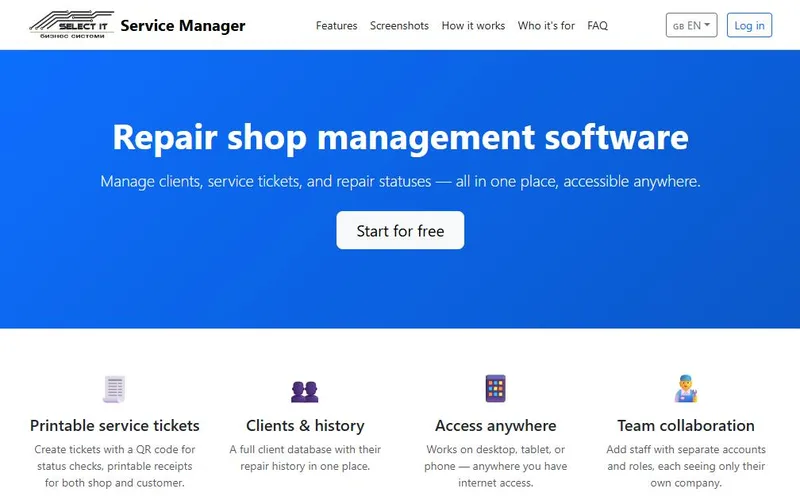
The application organises customers and service tickets with repair statuses. Staff roles support different responsibilities, while company-specific records allow separate businesses to use their own working space. A dashboard presents revenue information alongside the operational workflow.
Printable intake receipts include a QR code and PIN. A customer status page creates a route for checking repair progress without reading the internal working record. These features demonstrate how a business process can become a purpose-built web interface.
A practical intake-to-status workflow
A useful trial starts with an example customer and a sample repair, using fictional information. Review the intake record, the printable receipt and how a status change appears to the customer. Then look at the staff roles and decide which actions each member of your team would need.
Evaluate the handover between people as well as individual screens. Ask whether the terminology, status steps and receipt format match your shop. A clear acceptance test is more useful than judging a business application only by its dashboard.
Explore the live workflow
Explore the live Serviz website and its current account options. Look at the available languages and the steps from registration to the first repair record. Compare those steps with the people who receive equipment, carry out the work and keep customers informed in your business.
Prepare a short checklist for your review: required intake fields, repair status names, receipt content, customer status access and the responsibilities of each staff role. This gives you concrete acceptance criteria for deciding whether the product fits or a custom workflow would be more suitable.
A similar system for a different business
The same type of workflow can be discussed for equipment servicing, job tracking or internal requests. Start with your users, the record they share and the action that must happen next. A useful first version follows one complete journey from intake through delivery.
Send an anonymised example of your current form or spreadsheet and describe the main problem. We can define a first version, permissions, acceptance checks and a written scope. Hosting, integrations, ongoing support and any migration work belong in the quote.
Practical questions
How can a customer check repair progress?
Serviz includes a customer status page and printable intake receipts with QR code and PIN. Review that journey in the product to see how it would fit your customer communication.
Can I request a different workflow?
Yes. Describe the records, users and approval or status steps you need. The scope and price depend on those requirements; existing project features do not automatically belong to every quote.
Discuss your project
Describe the workflow you want to improve. We agree the first version, deliverables and price before development.
Discuss your project